
Motivation
I was searching for something I could either use on top of, or mount underneath my desk to control my new lights. Most of my lighting is Phillips Hue, but miscellaneous devices aren’t so the hue dial switches don’t easily control everything unless I delegate them to Homekit.
I wanted to make something I could use to:
- Run shortcuts
- Turn on/off lights
- Activate Scenes
Designed, assembled, and programmed in a (non-consecutive) span of 24 hours, so I think this qualifies as a #one-day-hack. But to make it fully operational, I’m doing some deeper debugging and experimentation with Homekit & Zigbee.
Solution
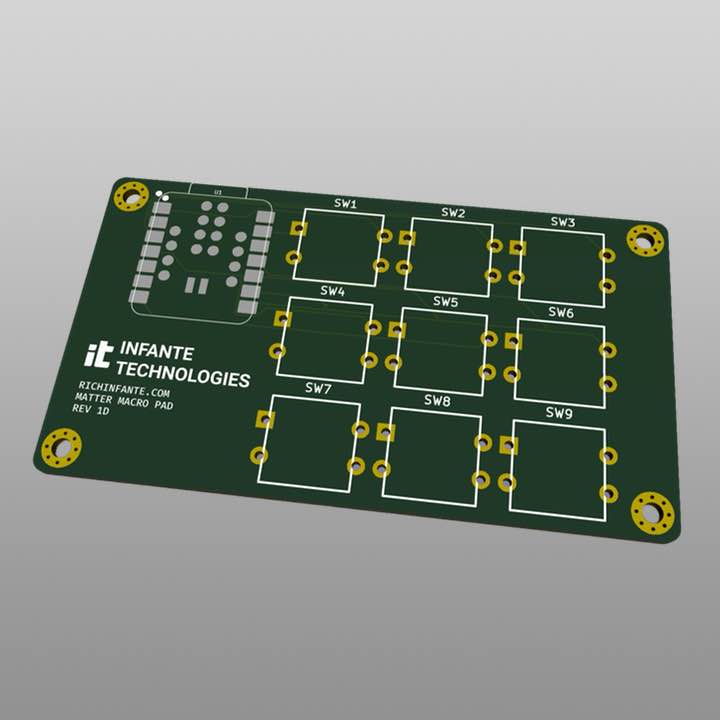
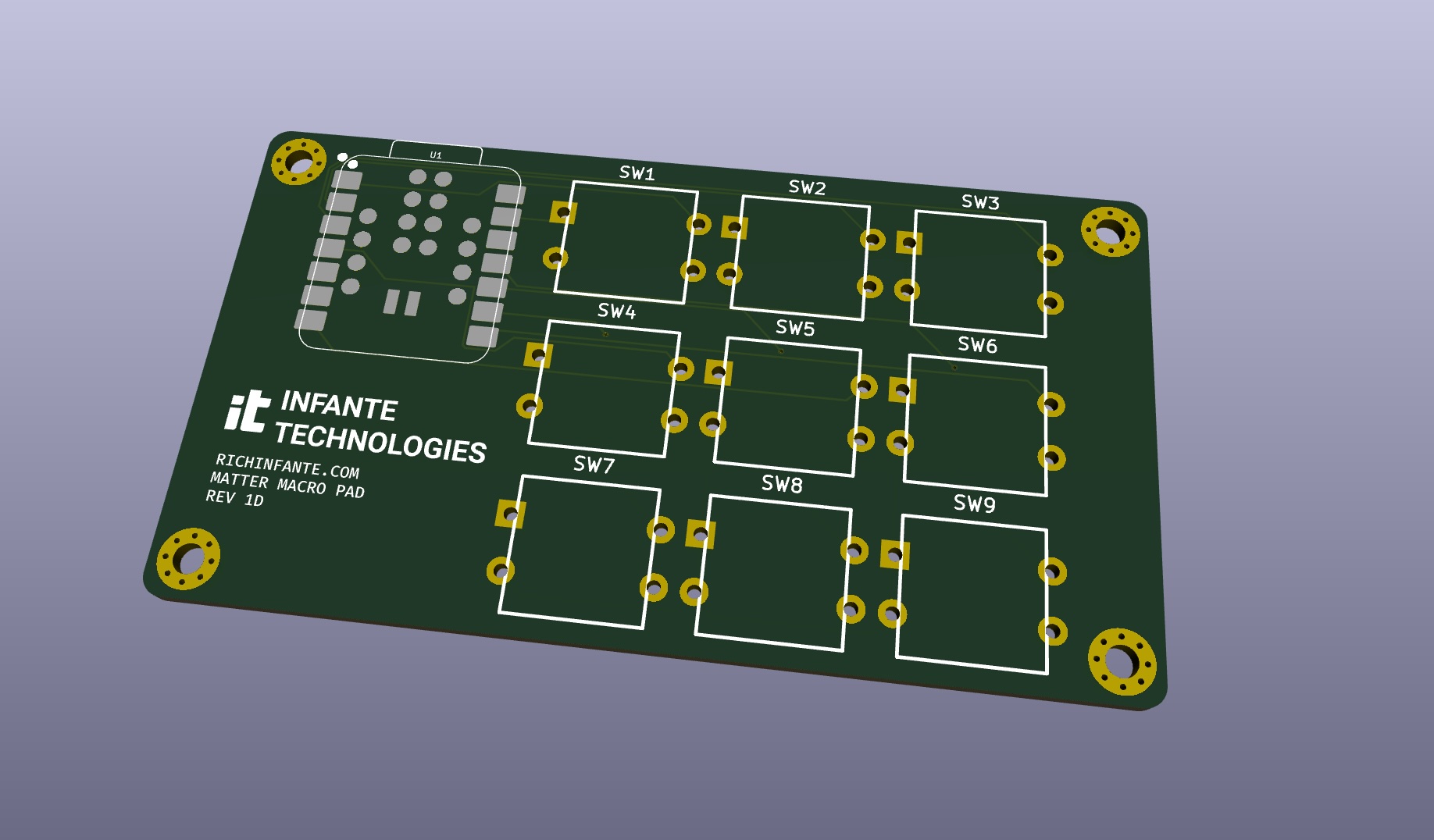
I didn’t see any commercial products that quite did what I was looking to do. I considered a Stream Deck, but I move between machines way too much and I’d like it to be standalone. So, I designed a small board to hold a button matrix, and surface mount a Seeed MG24 for some basic logic and Thread/Matter wireless. No other components, so it should be very simple for anyone to assemble.
I’m sure at scale this is cheaper, but currently it’s averaging around $22-ish per board, if you buy a 3x pack of MG24 boards alongside a 3x run of the PCBs from Osh Park. The buttons come in a 30 pack on Amazon for ~$9.
Assembly
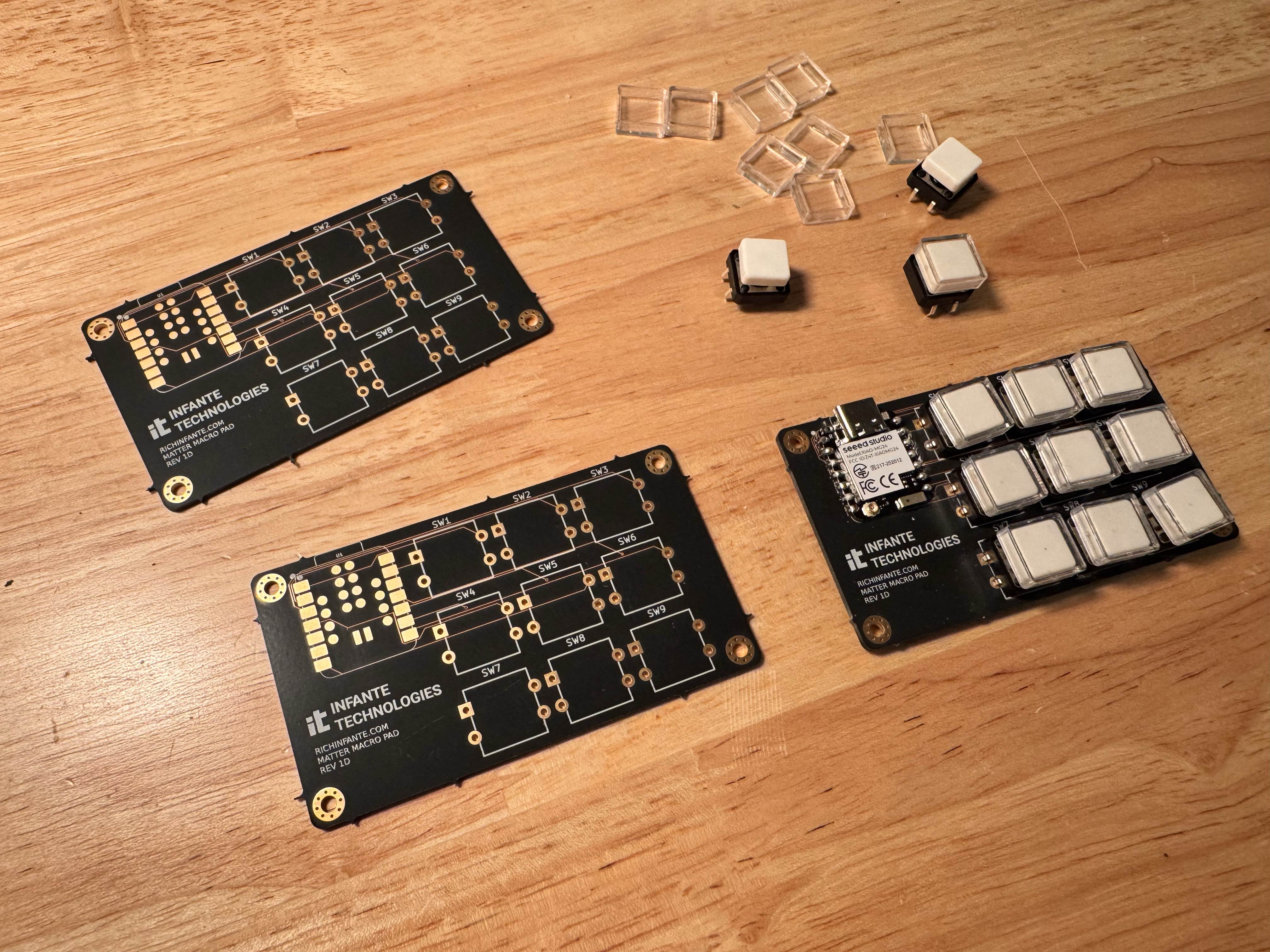
Surface mount solder the MG24 onto the footprint. Then, through hole solder the buttons. OSH Park’s “After Dark” colors look nice! Version 1:
Programming
There’s already pretty good libraries and examples for this. With some small modifications, I have exposed 9x buttons into Homekit (or your smart home supporting Matter over Thread) of choice.
I designed the hardware so the buttons ground the pins, and there’s an internal pull up resistor.
I was originally intending using this with Matter. However, Matter has not been very reliable - it works, when it decides to work. I think Apple Home is not a fan of something either I or the SiliconLabs Matter stack is doing.
There’s a new 5.0 version of the board library out, so I’m experimenting with Zigbee and other options as well. I’m not sure if it’s just the push button type I’m using, so if anyone has gotten that type to work (or not) with Homekit, let me know!
Board (Revisions)
I didn’t notice I had the footprint backwards for my buttons (in retrospect, I should have double checked this) - so it didn’t work out of the box. It grounded out ALL the button pins. This included D0 and D1 which if grounded on startup, do some things for sleep recovery. As a result my code neither worked, nor ran.
To solve this, I needed to cut the top left lead of each button, and then solder a bodge wire from the ground to the bottom left lead on button #0 to make things operational.
This is enough for me to test and validate the software further (snippet below).
I’ll revision the board and post it here if I can get the software working as I’d like it to (see below).
Software Work-In-Progress
This is a two-button test version of the software. It works sometimes with Apple Homekit, but for some reason disconnects randomly and isn’t very reliable. I pared it down to two buttons for testing and unrolled it a bit to simplify things for testing:
/*
   Matter switch - XIAO MG24

   D0 and D1 are active-low momentary buttons:
     HIGH = released
     LOW  = pressed

   Interrupts only signal that a button changed.
   All GPIO reads, debounce, and Matter updates happen in loop().
*/

#include <Matter.h>
#include <MatterSwitch.h>

MatterSwitch matter_switch;
MatterSwitch matter_switch_2;

#define BTN_D0 D0
#define BTN_D1 D1

volatile bool button_irq = false;

bool button_pressed = false;
bool button_pressed_2 = false;

bool button_pressed_last = false;
bool button_pressed_last_2 = false;

uint32_t last_button_sample = 0;
uint32_t last_status = 0;


// ---------------------------------------------------------------------------
// Interrupt handler
// ---------------------------------------------------------------------------

void handle_button_change()
{
  button_irq = true;
}


// ---------------------------------------------------------------------------
// Setup
// ---------------------------------------------------------------------------

void setup()
{
  Serial.begin(115200);

  Serial.println("Init");

  // Start Matter first.
  Matter.begin();

  matter_switch.begin();
  matter_switch_2.begin();

  pinMode(LED_BUILTIN, OUTPUT);
  digitalWrite(LED_BUILTIN, LED_BUILTIN_INACTIVE);

  // Buttons.
  pinMode(BTN_D0, INPUT_PULLUP);
  pinMode(BTN_D1, INPUT_PULLUP);

  // Factory reset button.
  pinMode(D6, INPUT_PULLUP);

  // One CHANGE interrupt per button.
  attachInterrupt(BTN_D0, handle_button_change, CHANGE);
  attachInterrupt(BTN_D1, handle_button_change, CHANGE);

  // Read initial physical state.
  button_pressed = (digitalRead(BTN_D0) == LOW);
  button_pressed_2 = (digitalRead(BTN_D1) == LOW);

  button_pressed_last = button_pressed;
  button_pressed_last_2 = button_pressed_2;


  // Factory reset.
  if (digitalRead(D6) == LOW) {
    Serial.println("Factory resetting Matter...");

    Matter.decommission();

    delay(5000);
  }

  Serial.println("Matter switch v2");

  // -------------------------------------------------------------------------
  // Commissioning
  // -------------------------------------------------------------------------

  if (!Matter.isDeviceCommissioned()) {
    Serial.println("Matter device is not commissioned");

    Serial.println(
      "Commission it to your Matter hub with the manual pairing code or QR code"
    );

    Serial.printf(
      "Manual pairing code: %s\n",
      Matter.getManualPairingCode().c_str()
    );

    Serial.printf(
      "QR code URL: %s\n",
      Matter.getOnboardingQRCodeUrl().c_str()
    );
  }

  while (!Matter.isDeviceCommissioned()) {
    delay(200);
  }

  matter_switch.set_state(false);
  matter_switch_2.set_state(false);
}


// ---------------------------------------------------------------------------
// Main loop
// ---------------------------------------------------------------------------

void loop()
{
  uint32_t now = millis();

  // -------------------------------------------------------------------------
  // Periodic diagnostic status
  // -------------------------------------------------------------------------

  if (now - last_status >= 5000) {
    last_status = now;

    Serial.printf(
      "[%d] STATUS: commissioned=%d, thread=%d, "
      "switch_online=[%d,%d], switch_state=[%d,%d]\n",

      now / 1000,

      Matter.isDeviceCommissioned(),
      Matter.isDeviceThreadConnected(),

      matter_switch.is_online(),
      matter_switch_2.is_online(),

      matter_switch.get_state(),
      matter_switch_2.get_state()
    );
  }

  if (button_pressed || button_pressed_2) {
    digitalWrite(LED_BUILTIN, LED_BUILTIN_ACTIVE);
  } else {
    digitalWrite(LED_BUILTIN, LED_BUILTIN_INACTIVE);
  }

  // -------------------------------------------------------------------------
  // Button handling
  //
  // The interrupt handler only sets button_irq.
  // We wait 50 ms after the interrupt before sampling the buttons.
  // -------------------------------------------------------------------------

  if (button_irq) {

    // Clear the interrupt flag.
    button_irq = false;

    // Debounce.
    if (now - last_button_sample >= 50) {

      last_button_sample = now;

      bool new_button_pressed =
        (digitalRead(BTN_D0) == LOW);

      bool new_button_pressed_2 =
        (digitalRead(BTN_D1) == LOW);


      // ---------------------------------------------------------------------
      // Button 1
      // ---------------------------------------------------------------------

      if (new_button_pressed != button_pressed_last) {

        button_pressed = new_button_pressed;
        button_pressed_last = new_button_pressed;

        Serial.printf(
          "Button 1: %d (%s)\n",
          button_pressed,
          button_pressed ? "PRESSED" : "RELEASED"
        );

        matter_switch.set_state(button_pressed);

        Serial.printf(
          "Matter 1: online=%d thread=%d state=%d\n",
          matter_switch.is_online(),
          Matter.isDeviceThreadConnected(),
          matter_switch.get_state()
        );
      }


      // ---------------------------------------------------------------------
      // Button 2
      // ---------------------------------------------------------------------

      if (new_button_pressed_2 != button_pressed_last_2) {

        button_pressed_2 = new_button_pressed_2;
        button_pressed_last_2 = new_button_pressed_2;

        Serial.printf(
          "Button 2: %d (%s)\n",
          button_pressed_2,
          button_pressed_2 ? "PRESSED" : "RELEASED"
        );

        matter_switch_2.set_state(button_pressed_2);

        Serial.printf(
          "Matter 2: online=%d thread=%d state=%d\n",
          matter_switch_2.is_online(),
          Matter.isDeviceThreadConnected(),
          matter_switch_2.get_state()
        );
      }
    }
  }
}